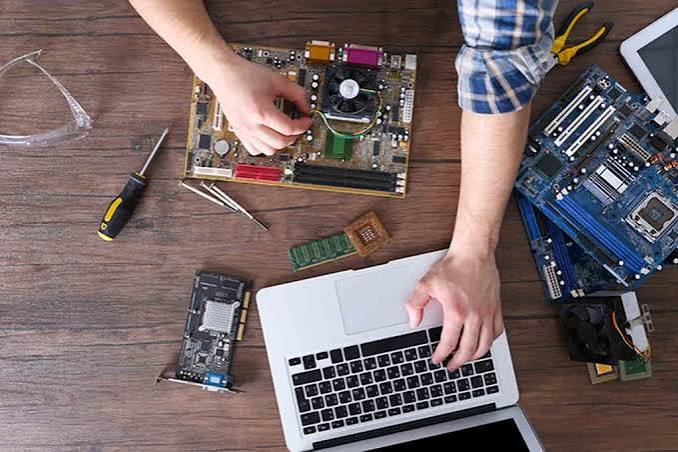
Laptops have become an essential part of work, education, communication, entertainment, and everyday tasks. When a laptop starts running slowly, overheating, shutting down unexpectedly, or showing hardware problems, getting professional help can save time and prevent further damage. Choosing a reliable Laptop Computer Repair Burlington service means more than simply fixing one problem—it involves proper diagnosis, quality repairs, and practical advice to keep your device working efficiently. Burl-Oak Systems provides professional technology support designed to help users address common laptop and computer problems with dependable solutions.
Why Professional Laptop Repair Matters
Some laptop issues may appear simple but can have several possible causes. For example, a slow computer could be affected by limited storage, insufficient memory, background applications, outdated software, malware, or a failing hard drive. Trying random solutions without identifying the actual cause can sometimes make the problem worse.
Professional repair technicians use diagnostic methods to identify the source of an issue before recommending a solution. This approach helps avoid unnecessary repairs and allows you to understand what is happening with your device.
Professional laptop repair can be useful for:
- Slow performance
- Laptop overheating
- Battery problems
- Broken or damaged screens
- Keyboard and touchpad issues
- Charging problems
- Software errors
- Operating system problems
- Wi-Fi and connectivity issues
- Malware and security concerns
- Storage or memory upgrades
- Data recovery and backup assistance
The Repair Process Usually Starts With a Diagnosis
One of the most important parts of a professional repair service is the initial diagnosis. Instead of immediately replacing components, a technician examines the laptop to determine what is actually causing the problem.
The diagnostic process may include checking hardware components, system performance, storage health, memory usage, operating system errors, temperature levels, battery condition, and other relevant factors.
For example, if your laptop frequently freezes, the problem may not necessarily be the processor. It could be related to failing storage, insufficient RAM, overheating, corrupted system files, or software running in the background.
A proper diagnosis helps technicians choose an appropriate repair strategy and gives the customer a clearer understanding of the work required.
Hardware Repairs and Component Problems
Laptop hardware can experience wear and damage over time. Components such as batteries, keyboards, screens, charging ports, cooling systems, storage drives, and memory can eventually require attention.
A professional technician can inspect these components and determine whether repair, replacement, cleaning, or upgrading is the best option.
Screen damage is one common example. A cracked or flickering display can make a laptop difficult to use, while a damaged charging port can prevent the battery from charging properly. Similarly, an aging battery may lose its ability to hold a charge for a reasonable amount of time.
Professional repair services can help identify whether the component needs replacement or whether another underlying issue is responsible for the symptoms.
Software and Operating System Support
Not every laptop problem is caused by hardware. Software issues can also significantly affect performance and reliability.
You may experience frequent error messages, application crashes, slow startup times, system freezes, or problems after an operating system update. In some situations, unwanted programs or malware may also affect system performance.
A professional technician can assess the software environment, remove unnecessary programs, check for security issues, troubleshoot operating system errors, and recommend appropriate updates.
Keeping software updated is particularly important because updates can provide security improvements, compatibility fixes, and performance enhancements.
Data Protection Should Be a Priority
Your laptop may contain important documents, photos, business files, school projects, passwords, and other valuable information. Before major repairs or hardware changes, data protection should be considered carefully.
A professional repair service should take reasonable steps to protect your information and explain any risks associated with the repair.
If the laptop is experiencing storage failure, data recovery may also be necessary. The possibility of recovering files depends on the condition of the storage device and the nature of the failure. This is why continuing to use a laptop with a failing drive can sometimes increase the risk of further data loss.
Regular backups are one of the simplest ways to reduce this risk. Important files can be backed up to an external drive or a trusted cloud storage service.
Performance Optimization and Upgrades
Sometimes a laptop does not need a major repair—it simply needs an upgrade or optimization.
Older laptops may benefit from additional memory or a faster storage drive, depending on their hardware compatibility. Removing unnecessary applications, managing startup programs, cleaning up storage, and keeping the operating system updated can also improve everyday performance.
A technician can evaluate your laptop’s current specifications and explain which upgrades are practical.
This can be a cost-effective alternative to purchasing a completely new computer, especially when the existing laptop still meets your basic needs.
Clear Communication During the Repair
A professional repair experience should involve clear communication. Customers should understand what is wrong with their laptop, what repair options are available, and what the expected costs may be before significant work is performed.
Good communication also means avoiding unnecessary technical jargon. A technician should be able to explain the problem in straightforward language and answer questions about the recommended solution.
If multiple repair options are available, you should be able to compare them based on cost, performance, reliability, and the expected lifespan of the device.
Why Choosing the Right Repair Service Matters
Not every repair service offers the same level of experience or support. When choosing a laptop repair provider, consider factors such as technical expertise, diagnostic processes, communication, repair quality, customer service, and the range of problems they can handle.
It is also helpful to choose a provider that focuses on solving the underlying issue rather than simply treating the visible symptom.
A trustworthy technician should be willing to explain the problem and help you make an informed decision about whether repairing, upgrading, or replacing the laptop makes the most sense.
When Should You Seek Professional Help?
Some laptop problems should not be ignored. If your computer repeatedly shuts down, becomes unusually hot, produces strange noises, fails to charge, shows display problems, or experiences frequent crashes, professional assessment can help prevent the issue from becoming more serious.
Similarly, if your laptop contains important files and the storage drive appears to be failing, professional assistance may be preferable to repeatedly attempting repairs yourself.
Getting help early can sometimes reduce repair costs and minimize downtime.
Conclusion
A professional Laptop Computer Repair Burlington service should provide more than a quick fix. From accurate diagnostics and hardware repairs to software troubleshooting, performance improvements, and data protection, the goal should be to restore your laptop’s reliability while helping you understand the problem.
With the right support, you may be able to extend the useful life of your existing device instead of replacing it unnecessarily. Burl-Oak Systems can help Burlington users address a range of laptop and computer concerns with practical technology support and repair solutions. Whether your laptop is running slowly, experiencing hardware problems, or having software issues, professional assessment can help you choose the right next step.