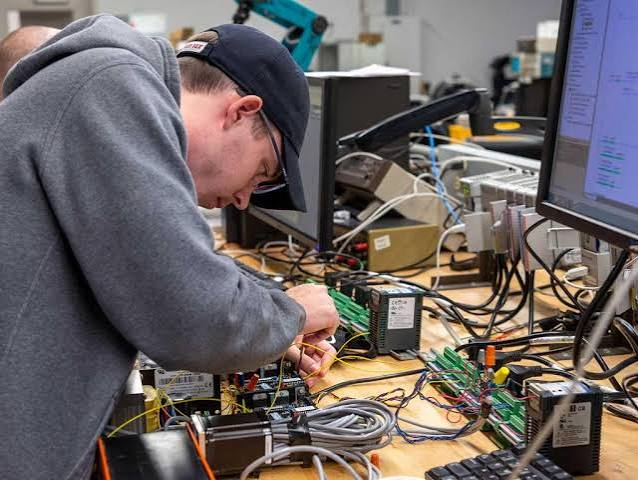
Computers play a vital role in both personal and business activities. Whether you rely on your desktop for work, education, communication, or entertainment, keeping it in good condition is essential for maintaining productivity. Unfortunately, many people wait until their computer experiences major problems before seeking professional help. Regular Computer System Repair in Burlington and maintenance services help prevent costly repairs, improve system performance, and significantly extend the lifespan of your computer.
At Burl-Oak Systems, we provide professional computer repair and maintenance services designed to keep desktops and laptops operating efficiently. Through routine inspections, software updates, hardware diagnostics, and performance optimization, we help individuals and businesses avoid unexpected downtime while maximizing the value of their technology investment.
Why Regular Computer Maintenance Matters
Over time, every computer experiences normal wear and tear. Temporary files accumulate, software becomes outdated, hardware components age, and malware threats continue to evolve. Without regular maintenance, these issues can reduce performance and eventually lead to hardware failure or data loss.
Routine maintenance identifies small problems before they become expensive repairs, allowing your computer to remain reliable for years.
Common Problems Caused by Poor Maintenance
Ignoring routine maintenance can lead to several performance issues.
Slow System Performance
One of the most common complaints is a computer that becomes increasingly slow. This may result from:
- Excess startup programs
- Full storage drives
- Outdated software
- Malware infections
- Fragmented or failing storage devices
- Insufficient system memory
Professional maintenance removes unnecessary files, optimizes system settings, and improves overall speed.
Overheating
Dust accumulation inside the computer restricts airflow and causes components to overheat. Excessive heat can damage processors, graphics cards, and storage drives.
Routine internal cleaning helps maintain proper cooling and prevents hardware damage.
Frequent System Crashes
Unexpected shutdowns, freezing, or blue screen errors often indicate hardware or software issues that require professional diagnosis before they worsen.
Security Risks
Without regular security updates and antivirus protection, computers become vulnerable to ransomware, viruses, phishing attacks, and other cyber threats.
Benefits of Professional Computer Maintenance
Improved Performance
Routine maintenance removes unnecessary files, updates software, checks system health, and optimizes performance. As a result, applications load faster, startup times improve, and daily tasks become more efficient.
Longer Hardware Lifespan
Regular inspections help detect failing components before they cause serious damage. Replacing aging parts early can significantly extend the life of your computer.
Reduced Repair Costs
Preventive maintenance costs far less than recovering from major hardware failures or data loss. Addressing small issues early prevents expensive emergency repairs.
Better Security
Professional maintenance includes updating operating systems, installing security patches, scanning for malware, and improving overall system protection.
Increased Productivity
Reliable computers reduce interruptions and allow employees or home users to complete tasks without unnecessary delays.
Essential Computer Maintenance Services
Professional maintenance includes a variety of services that keep systems operating efficiently.
Hardware Diagnostics
Technicians inspect major components, including:
- Hard drives or SSDs
- Memory (RAM)
- Power supply
- Motherboard
- Cooling fans
- Graphics hardware
Early detection prevents unexpected hardware failures.
Software Updates
Keeping operating systems and applications updated closes security vulnerabilities while improving compatibility and stability.
Virus and Malware Removal
Security scans identify and remove harmful software before it compromises personal information or business data.
Disk Cleanup and Optimization
Removing unnecessary files improves storage efficiency and boosts computer performance.
Backup Verification
Regular backups protect important files from accidental deletion, hardware failure, or cyberattacks.
Signs Your Computer Needs Professional Maintenance
Don’t wait until your computer completely fails. Professional service is recommended if you notice:
- Slow startup times
- Frequent freezing
- Strange noises
- Overheating
- Pop-up advertisements
- Programs crashing
- Storage is running out quickly.
- Internet performance issues
- Error messages are appearing regularly.
Early intervention often prevents more serious problems.
How Businesses Benefit from Regular Computer Maintenance
For businesses, reliable computers are critical to daily operations. Even minor technical issues can reduce productivity and affect customer service.
Professional maintenance helps businesses:
- Minimize downtime
- Protect sensitive business information.
- Improve employee productivity
- Reduce emergency repair expenses.
- Maintain network reliability
- Extend equipment lifespan
- Strengthen cybersecurity
Scheduled maintenance also supports long-term IT planning and budgeting.
Why Choose Burl-Oak Systems?
Burl-Oak Systems provides trusted Computer System Repair in Burlington for homeowners, professionals, and businesses. Our experienced technicians deliver customized maintenance and repair services designed to improve system performance while protecting valuable data.
Our services include:
- Complete computer diagnostics
- Hardware repairs
- Software troubleshooting
- Virus and malware removal
- Operating system support
- Data recovery
- SSD and RAM upgrades
- Preventive maintenance
- Performance optimization
- Ongoing technical support
We focus on fast response times, reliable workmanship, and practical solutions that help keep your technology operating efficiently.
Tips to Keep Your Computer Running Efficiently
Between professional maintenance visits, you can improve your computer’s performance by following these best practices:
- Install software updates regularly.
- Keep antivirus software active and updated.
- Remove programs you no longer use.
- Back up important files frequently.
- Keep your computer clean and dust-free.
- Avoid downloading software from untrusted websites.
- Restart your computer regularly.
- Use surge protection to prevent electrical damage.
These simple habits can help reduce wear on your system and improve long-term reliability.
Conclusion
Routine maintenance is one of the best ways to maximize your computer’s performance, reliability, and lifespan. Instead of waiting for expensive failures, investing in regular Computer System Repair in Burlington and preventive maintenance helps detect issues early, improve security, and keep your computer operating at its best.
Burl-Oak Systems provides dependable maintenance and repair services tailored to the needs of both residential and business customers. Whether your system needs optimization, virus removal, hardware upgrades, or complete diagnostics, our experienced team is committed to delivering reliable solutions that keep your technology running smoothly for years to come.